


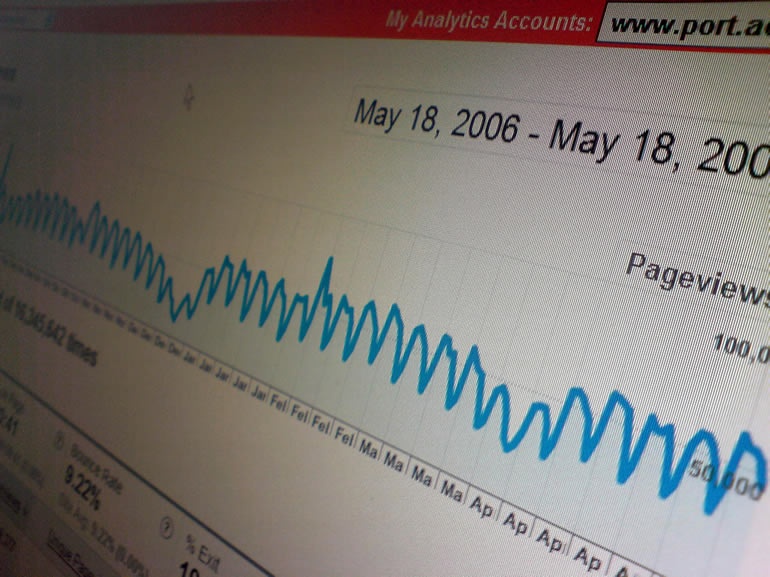
At Indulge Media we love to work on web design, and when we finish designing a website, we turn to our digital marketing team across the room and say 'hey, look at this new web design, good huh!' and they say, 'yes, very nice indeed, but remember, when the developed gets his hands on it, tell him to stick in Google Analytics functionality'. Yes, our digital marketing team can't get enough of the web design and marketing tool we are focusing on this week.
What is Google Analytics?
Google Analytics is a free service, provided by Google to help web designers, web developers and digital marketing teams to keep track of the success, or short fallings of websites and online campaigns. Google Analytics is super easy to install and according to Built With is "the most used analytical package on the internet" and the Javascript tracking code that Analytics uses is "probably the most hit URL in the world." Now there is an interesting little nugget for you.
Anyway, popular it may be, but what is the point in it. The basic principle behind Google Analytics is this. The website master/developer installs a unique Javascript tag to the HTML of their website. They install said tag onto every single public facing page (pages they want to track) of their website. Once the tag is installed the website is verified as ready to track by Google. Now that the tag is in use and verified your website becomes traceable. This means that every time someone enters your website, the Javascript tag is triggered and it says 'oi...Analytics, it is me, the homepage, someone has just come to see me and they got here by typing in chocolate dog treats'. At this point, Google Analytics pricks its ears and gets the pen and paper out and writes down all of the information down that it can.
That, is essentially the basic description of the process that continues every time somebody enter your website and moves around browsing the content and interacting with you media. Ok, so I made it sound really simple, don't be fooled, there is lot more to Analytics than this, you see, it isn't how Analytics gets your data that is interesting, it is what it can gleen from it that is most useful to digital marketers and web developers alike.
Inside Google Analytics lives a complex and powerful set of tools which alllow you slice, dice, cut and splice data left right and center so that you can dig deep and find out exactly how users are viewing your content, what they appear to like, what turns them off and, importantly for most of us, what makes them convert from a browser to a customer.
So, that is your basic introduction to Google Analytics, but really, the best way to learn about it is to dive in and have a go yourself, so without further ado, Indulge Media are going to take you by the hand and lead you head first into Google Analytics, starting with the task of how to install it!
How to Install Google Analytics
The first thing you need to do when you want to use Google Analytics is sign up to the service, oh and of course, it helps if you have a website to track as well (if you don't Indulge Web Design Guernsey can help you out! Sorry, that was a shameless plug!).
So, first of all have your website HTML editor open, or if you aren't the developer, give your web developer a shout and get him on standby. Then, go to your web browser (as a side note, what is your fav browser, I am loving Google Chrome at the moment!) and go to www.google.com/analytics. Next you will need to sign up for Analytics. If you already have a Google Account then you can use this account to log in.
The next page you get to will ask you to add a website. At this point you should enter the web address of your website and the name of the account you would like to use, the account name is really for your reference incase you manage multiple websites, I ussually just use the domain name of the site.
So, now you have entered in your site details you will be asked to enter your name and stuff like that as well as agreeing to the user licence agreement, all pretty standard stuff I think you will agree. The final stage of the setting up process is to verify your website, this is where the Javascript tag comes in.
So, on the verification page there is some information. On the left hand side you are required to choose weather you are tracking just one website or if you are tracking sub-domains and things like that, but let's just stick to a single domain at the moment so just leave it as it is as the default.
The important part of the page is the information on the right hand side of the page which contains the piece of Javascript code that you have to put on your website. As the information on the page says, you must install this code onto every page of your website you want to track, immediately before the closing head tag.
After you have installed the code, continue to the next page and your website tracking will be ready to go. See, that wasn't so scary was it? Now it is all about the waiting game, let Analytics watch your website for a while and track any traffic so that in a few days you can take a look at what is going on. Now let's look at the key tools that you can use in Google Analytics.
How to use Google Analytics - The Basics
When you log into your Google Analytics website profile, you will be greeted with the main screen from which you will do your website tracking. This screen is called the 'dashboard' and it contains information on six of the main measurable metrics that Google Analytics tracks. Here are the metrics and how they can be used:
Visits - Visits is the metric which, yes you guessed it, tells you how many people have visited your website. This metric is the total amount of visits in the reported time frame and it shows you how much attention your website is attracting.
Page Views - Page views is another very obvious metric, it tells you how many pages of your website have been viewed for the time period that is selected.
Pages/Visit - This metric looks at the average amount of pages viewed per each visit. That means that Analytics looks across your whole site and measures the average amount of pages the average user looked at in a single session of browsing on your website.
Bounce Rate - This metric is something of a holy grail for some digital marketing experts, and indeed Avinash Kaushik (Google Analytics supremo), who say that bounce rate is one of the most valuable metrics if used correctly. Bounce rate simple measures the amount of website visits that came to your website and then left immediately without seeming to consume any coontent. This metric is great for showing you what is not working correctly, and of course, the lower the bounce rate the better (we would say aim for around no higher than 35%).
Average Time on Site - I don't think I really need to explain this one, similar to the average page views metric, this one looks at, on average, how long did each website visitor spend on the site. % New Visits - This metric is also an important one, it shows out of all of your visits over the selcted time period, how many of them were brand new visitors who have not been before.
So, there you have it, those are the very first metrics you will take a look at. In the next Google Analytics blog we will look into how to use the basic metrics, how to compare the success of your site over different time scales and how to combine metrics to really gain insights into how your website is performing.